Document Automation
Product features
By practice area
By company size
Contract Review
PRODUCT FEATURES
Resources
LearN
Case Studies
Pricing
Aline runs intake, review, signing and your repository in its own editor. Gavel Exec reviews and redlines contracts inside Word. Here’s which one fits your team.

Choose Aline if you want one system for the whole contract process, from intake and approvals to e-signature, renewals and reporting, and your team is happy to negotiate in Aline’s own editor instead of Word. Choose Gavel Exec if your lawyers negotiate in Word and want AI redlines and market benchmarking there, without a CLM rollout: it starts with 25 free queries and no credit card, then costs $160 per user per month.
Aline is made by Aline Technologies, Inc. (aline.co), not to be confused with other software sold under the Aline name. This comparison covers its Aline AI and AI CLM platform as published on November 14, 2026.
Aline
Aline is an AI-native contract lifecycle management platform built for in-house teams, with a version for law firms. Founded in 2019 by Brent Farese, a former in-house general counsel, it combines Aline AI (chat, drafting, redlining and playbooks), AI reports, workflows, agentic legal intake, a repository and AlineSign e-signature in one browser-based editor, built on models from Anthropic, OpenAI, Google and others. Aline AI is also available in Slack and Microsoft Teams.
Gavel Exec
Gavel Exec is AI contract review, redlining, and drafting software for legal teams. It works in Microsoft Word and online, so attorneys can review contracts inside Word or use browser-based workflows for broader contract analysis.
Gavel Exec supports playbook-based review, redlining, drafting, benchmarking, batch analysis, and multi-document comparison. Playbooks can be generated with AI, built from uploaded files, created manually, or started from built-in playbooks created by practicing attorneys. Gavel Exec publishes pricing at $160 per user per month or $1,740 per user annually, and offers 25 free queries per user with no credit card required.
Keep Aline for intake, approvals, signing and the repository. Add Gavel Exec seats for the lawyers who want to redline in Word, or who want a market benchmark before they hold a position. Aline imports Word files with tracked changes intact, so a draft marked up in Word can go back into your Aline workflow. Neither vendor documents an integration between the two, so test the round trip on one agreement first. If Aline’s playbooks already cover your review work and your lawyers are happy in its editor, another seat may add little.
Aline (aline.co) is an AI-native contract lifecycle management platform for in-house teams: AI drafting, redlining and playbooks in its own browser editor, plus intake, approvals, AI reports, a repository and unlimited e-signature. It is not a Word add-in. Its Team plan starts at $200 per full user per month, with a 21-day free trial. Gavel Exec is AI contract review, redlining and drafting inside Word on Windows, Mac and the web, plus a web app, with market benchmarking; it starts with 25 free queries and no credit card, then costs $160 per user per month. In both, a lawyer decides on every change.
Choose Gavel Exec if your lawyers negotiate contracts in Word and want AI redlines against built-in or their own playbooks, plus market benchmarking by jurisdiction, industry and company size, starting today on a per-seat plan. It suits transactional attorneys at law firms and in-house teams. Gavel Exec is not a CLM: if you need one system for intake, approvals, signing and storage of signed contracts, choose Aline, or keep Aline for that work and add Exec seats for the lawyers who redline in Word.
US public terms checked November 14, 2026. Aline publishes its Team plan price; its Enterprise plan is quote-based. Aline’s price covers a full CLM, e-signature and onboarding; Gavel Exec’s per-seat price covers AI review, redlining and drafting in Word, so compare what you’d actually use. Sources: Aline pricing and Gavel Exec pricing.
| Feature | Aline | Gavel Exec |
|---|---|---|
| Price | Team: from $200/full user/month plus $50/support user/month. Enterprise: not published; quote-based. | $160/user/month or $1,740/user/year; 1,000 completions per month; team pricing for 10+ seats. |
| Billing | Not published; Aline shows the Team price with an annual figure. Enterprise terms by quote. | Month to month, no long-term contract; annual plan billed annually. |
| Free Trial | 21 days of all Team plan features; no payment details required. | 25 free queries per user; no credit card required. |
| AI Features | AI chat, drafting, redlining and playbooks in Aline’s editor; AI reports, intake, workflows, repository and AlineSign e-signature. | Review, redlining as tracked changes, drafting, playbooks, market benchmarking and browser analysis. |
| Playbooks | AI-generated from your templates or past redlines (generic if none attached); editable rules with reasoning and citations. | Built-in playbooks; rules by hand or generated from .docx, PDF or CSV files. |
| Word Integration | Not a Word add-in, by design. Import Word files with tracked changes; export a tracked-changes file. Redlines need .docx. | Word add-in for Windows, Mac (2016+), Word on the web and Microsoft 365, plus a web app at exec.gavel.io. |
| Support | Up to 20 hours of onboarding and training on Team; bespoke onboarding on Enterprise; help center. | Exec help center and phone support; demo for security and vendor questions. |
Ratings checked November 14, 2026: Aline’s homepage shows 4.7 out of 5 from 16 verified reviews on G2. We couldn’t open G2’s page to confirm the figure, and other review sites list few or no reviews for Aline’s contract product; check G2 before relying on it. Aline says more than 200 companies use it. A named customer, Daniel Telford, Legal Counsel at Xevant, says on Aline’s CLM page that redlining a simple mutual NDA went from up to 45 minutes to under two minutes.
Watch Gavel’s 71-second Exec walkthrough to see a Series A stock investment agreement redlined against an attached term sheet, then a vendor-agreement playbook run with accepted edits appearing as tracked changes in Word. Aline shows its product in demos on request. Vendor demonstrations show how a product operates, not how well it compares.
[0:01] Meet Gavel Exec, the data-driven AI tool for contract redlining and drafting. Built by lawyers right inside Microsoft Word, ask Exec to negotiate your contract to standard market terms or to your preference.
[0:15] Negotiate the agreement and ensure the terms match the attached term sheet. Exec analyzes the contract, any relevant documents from your source database, and drafts suggested language with clear explanations.
[0:31] With Playbooks, lock in your negotiation positions as rules that use your precedent and reliable market benchmarks. Understand gaps with one click and immediately apply changes.
[0:45] Exec draws on thousands of real-world negotiation patterns to give you market-aligned language. And it’s continuously learning from you and your team’s preferences with a collaborative platform.
[0:59] Drive better outcomes with concrete data and reliable issue spotting. Supercharge your contract analysis. Start a free trial of Gavel Exec today.
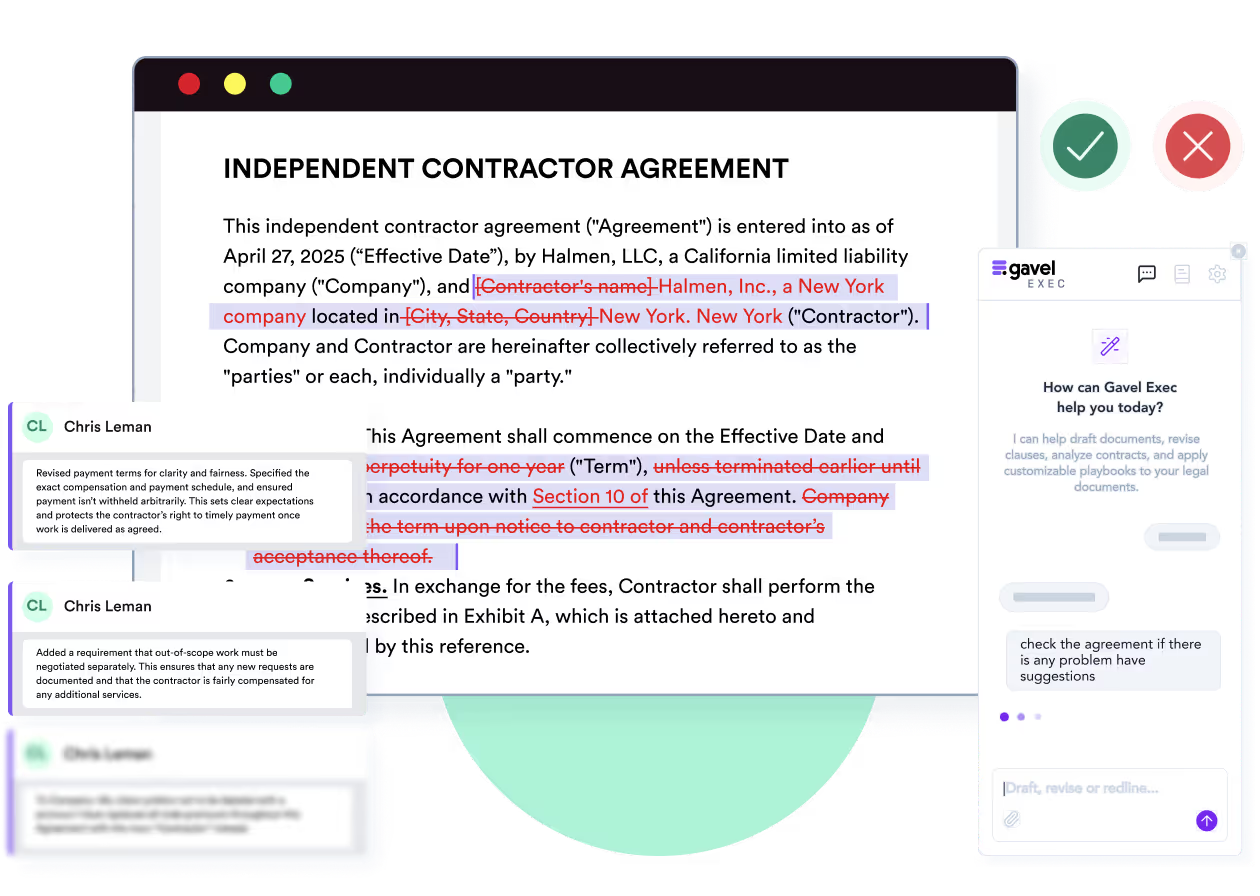
This is the main difference. Aline keeps each contract as one version in its own browser editor, which your team and the counterparty work on together. You import a Word file, run AI redlining or a playbook, and Aline writes tracked changes into the document there. For law firms, Aline describes bringing a Word document in, running the first pass and exporting a clean tracked-changes file for the counterparty.
Gavel Exec works inside Microsoft Word. You open the counterparty’s draft, run a playbook or ask for changes, and apply the suggestions as tracked changes in the same document. There is no import or export step, and your formatting, comments and version history stay in Word.
No. Aline says it is not a Word add-in, by design: it has its own editor, and Word files import with tracked changes intact. Gavel Exec is a Word add-in for Windows, Mac and the web, plus a web app.
Aline answers this on its Spellbook comparison.
Not directly. Aline’s help center says it cannot write tracked changes into a PDF; it can flag issues and cite clauses, but you convert the PDF to .docx to get redlines. Gavel Exec redlines Word documents too, and its benchmarking and context uploads accept PDFs as they arrive.
See Aline’s file format requirements.
Both review a contract against your positions and explain each change. Aline builds a playbook with AI from a template or from past redlined agreements; its help center recommends 10 to 20 redlined versions of the same agreement type for better fallback positions. It asks which party you represent and how aggressive to be, and every rule stays editable. With nothing attached, it drafts a generic, industry-standard playbook. A run shows which rules passed and which need review, with reasoning and citations.
Gavel Exec starts from a built-in playbook, rules you add by hand, or rules generated from your checklists, spreadsheet playbooks or signed agreements (.docx, PDF or .csv). Exec’s contract benchmarking adds a market view: each provision is marked on-market, off-market or missing for your jurisdiction, industry and company size.
You represent the customer. The vendor’s draft says it may update its data processing terms “by posting a revised version on its website, effective 30 days after posting”. Your illustrative playbook requires changes to data terms by written amendment signed by both parties. The expected redline replaces that sentence with “only by a written amendment signed by both parties”, with a comment explaining the position. In Gavel Exec, the change appears as a tracked change in the Word draft you send back. In Aline, it appears in Aline’s editor, where the counterparty can work on the same version or receive an exported file. Either way, you decide whether to accept, edit or reject it. Done by hand, this is a clause-by-clause read against your checklist. This is an evaluation scenario, not a test either product ran.
Aline is a contract lifecycle management platform. Requests come in through intake and are routed by value, type or risk; approval rules apply automatically; contracts go out for signature with AlineSign, which includes unlimited e-signatures; executed contracts flow into an AI repository where you can report on renewal dates, indemnities and liability caps and set renewal reminders. Aline connects to Salesforce, HubSpot, Google Drive, Slack, Microsoft Teams, DocuSign and other tools.
Gavel Exec covers the negotiation itself: review, redlines and drafting in Word, plus benchmarking, batch analysis and multi-document comparison in its web app. Intake, approvals, signature and storage belong in a CLM such as Aline.
Gavel Exec costs $160 per user per month, or $1,740 per user per year, with 1,000 completions per month on paid plans and team pricing for 10 or more seats.
Aline’s Team plan starts at $200 per full user per month, plus $50 per support user per month. It includes AI reports, playbooks and chat, unlimited e-signature through AlineSign, and up to 20 hours of onboarding. Aline charges no maintenance or contract-volume fees. The Enterprise plan is quote-based and adds CRM integrations, SSO and directory sync, and bespoke onboarding.
Yes, for the Team plan: it starts at $200 per full user per month, plus $50 per support user per month. Enterprise pricing is not published; it’s quote-based. Gavel Exec also publishes its per-seat price.
Yes. Aline offers 21 days of all Team plan features without entering payment details. Gavel Exec starts with 25 free queries per user and no credit card.
Aline’s security page says it is SOC 2 Type II certified and GDPR compliant, encrypts data at rest and in transit, runs on AWS in the United States and supports SSO through Microsoft Entra, Okta and other providers (SSO is on the Enterprise plan). Aline’s release notes name Anthropic’s Claude for drafting and redlining and OpenAI’s GPT for legal research.
Gavel Exec is SOC 2 Type II certified, encrypts stored data with 256-bit AES, supports two-factor authentication and SSO, and has Zero Data Retention agreements with the AI model providers it uses, including OpenAI. Aline runs on AWS in the United States; Gavel hosts there by default and also offers European Union, Canada and Australia regions. Gavel security
No. Aline says its AI is never trained on your data, and that its terms and agreements with third-party LLM providers prevent training on it. Aline doesn’t publish a zero-data-retention statement for those providers.
No. Gavel doesn’t use customer data, prompts or document content to train AI models, and it has Zero Data Retention agreements with its AI providers.
Brent Farese founded Aline in 2019 after a decade as an attorney, including as an in-house general counsel. The company is Aline Technologies, Inc.; its About page says it is headquartered in New York City.
Gavel is part of Relativity, which announced its acquisition of Gavel on June 12, 2026; Gavel Exec is now integrated with Relativity aiR.
Method: Gavel editorial review. Checked against Aline’s and Gavel’s public pages on November 14, 2026. Gavel publishes this comparison and sells Exec; Gavel is part of Relativity. No hands-on comparative test of the two products was conducted. Spotted something out of date? Tell us and we will correct it.
It’s the best system I’ve tried, and I’ve tried many.
Martin Algie, Principal, MIA Contract Lawyers (on gavel.io/exec)
Pick an agreement you’ve already negotiated, so you know its issues. Open it in Word, start from a built-in Exec playbook or generate rules from your checklist, and compare the tracked changes with your own markup. If you’re trialling Aline too, import the same .docx into Aline and run a playbook there, then compare what each flags, what you reject, how long checking takes and how the draft gets back to the counterparty.
Start with 25 free queries and no credit card. If you need intake, approvals, signing and a repository in one place, that’s a CLM’s job, and Aline is built for it.
Open the counterparty’s .docx in Word with no import step, run a built-in playbook or your own rules, and accept or reject each tracked change. 25 free queries per user, no credit card, no sales call.
This comparison uses publicly available product, pricing, and review information. Features, pricing, and access terms may change, so buyers should verify current details directly with each vendor.
Test Exec’s playbook review on a contract on your desk today. 25 free queries, no credit card.


