Document Automation
Product features
By practice area
By company size
Contract Review
PRODUCT FEATURES
Resources
LearN
Case Studies
Pricing
Spellbook and Gavel Exec both offer AI contract review and drafting with Word add-ins. Spellbook uses custom pricing, with customer-reported quotes of about $350 per user per month. Gavel Exec publishes pricing at $160/month with no commitment and instant trial access.

Gavel Exec and Spellbook both help legal teams review and draft contracts with AI. Gavel Exec is the stronger fit for teams that want transparent pricing, fast trial access, Word plus web workflows, and lawyer-editable playbooks. Spellbook fits teams that also draft in Google Docs or want contract answers drawn from iManage files.
Spellbook

Spellbook is a legal AI tool for contract drafting and review in Microsoft Word. Its public pricing page describes the Spellbook Suite as including Word Add-In, Review, Draft, Ask, Benchmarks, Playbooks, and Associate. Spellbook also lists a Playbook Build Service for in-house legal teams that want help building review playbooks.
Gavel Exec
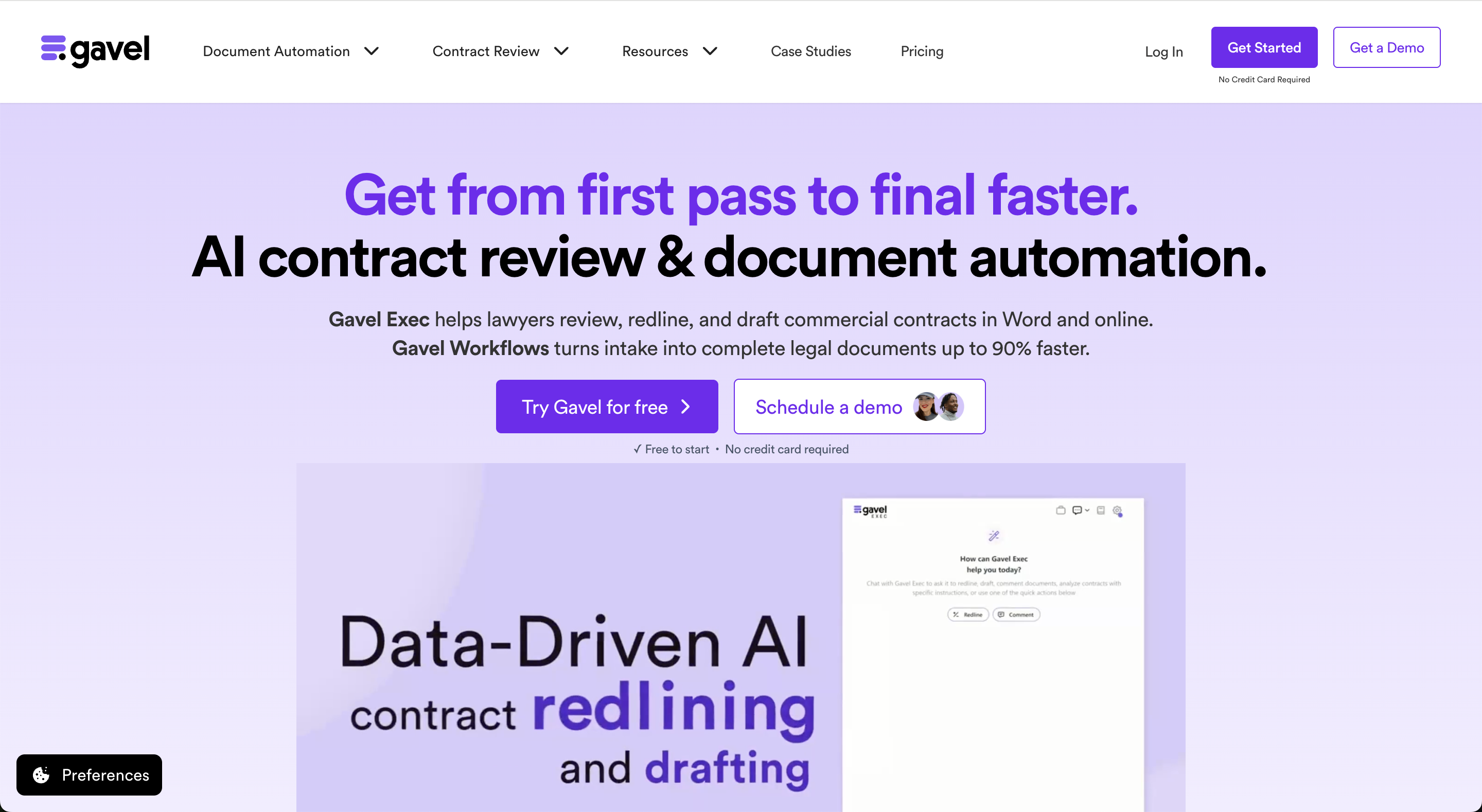
Gavel Exec is AI contract review, redlining, and drafting software for legal teams. It works in Microsoft Word and online, so attorneys can review contracts inside Word or use browser-based workflows for broader contract analysis.
Gavel Exec supports playbook-based review, redlining, drafting, benchmarking, batch analysis, and multi-document comparison. Playbooks can be generated with AI, built from uploaded files, created manually, or started from built-in playbooks created by practicing attorneys. Gavel Exec publishes pricing at $160 per user per month or $1,740 per user annually, and offers 25 free queries per user with no credit card required.
legal teams should know that it is a legal AI tool for contract drafting and review in Microsoft Word, with a suite that includes Review, Draft, Ask, Benchmarks, Playbooks, and Associate for multi-document workflows, plus an optional playbook build service. Pricing is not publicly listed (customer-reported at about $350 per user per month), and Spellbook offers a 7-day free trial, though its pricing page asks buyers to book a demo.
For teams weighing Spellbook's Word suite, Gavel Exec handles contract review, redlining, and drafting for in-house counsel inside Microsoft Word, and a full web app extends that work to batch analysis, multi-document comparison, and research tools. Playbooks need no build service: AI generates one in minutes for a chosen contract type or practice area, defaults written by lawyers come included, and any lawyer can edit a playbook without an admin, with read-only or edit access granted person by person. The published price is $160 per seat per month, or $1,740 a year on annual billing, and there is no long-term commitment. Each user can try 25 queries free, and signup involves no credit card or sales call. Formal Zero Data Retention agreements with all of Gavel's AI providers keep contract data out of storage and model training, and nothing is retained when a session closes. Its SOC 2 Type II certification rests on an independent audit of security, availability, and confidentiality under the AICPA Trust Services Criteria. The team behind it is led by CEO and Founder Dorna Moini, previously a Sidley Austin employment litigation associate, working with CTO Pierre Martin (formerly Microsoft Research and Amazon). Lawyerist rates it 4.5/5.
Gavel customers report Spellbook quotes of about $350 per user per month, but buyers should verify current pricing, trial access, and commitment terms directly with Spellbook. Spellbook’s public pricing page describes pricing as custom and based on license size. Gavel Exec publishes pricing at $160/user/month or $1,740/user/year and offers 25 free queries per user with no credit card required.
| Feature | Spellbook | Gavel Exec |
|---|---|---|
| Price | ✗ About $350 per user per month (customer-reported; Spellbook doesn’t publish pricing) | ✓ $160/seat/mo or $1,740/year per seat |
| Billing | ✗ One-year default term, renews automatically for 12-month periods (Terms of Service) | ✓ Cancel anytime, no long-term contract |
| Free Trial | ✓ 7-day free trial; extended trials for larger organizations | ✓ 25 free queries, no credit card, no demo required |
| AI Features | ✓ Review, redline, draft, Ask, Benchmarks, Associate | ✓ AI contract review, redlining, drafting, playbooks, benchmarking, batch analysis, multi-document comparison |
| Playbooks | ✓ Generates a playbook from a model document; Playbook Build Service on in-house plans | ✓ Generated from your checklist, spreadsheet playbook or signed agreements; attorney-built defaults included |
| Word Integration | ✓ Native Word add-in; Google Docs add-on | ✓ Native Word add-in + full web application |
| Support | ✓ Training sessions and online support; dedicated support for teams over 10 | ✓ Live chat, support calls, and onboarding |
Spellbook is a credible option for legal teams that want a Word-native AI suite for commercial contract work. However, teams evaluating Spellbook against Gavel Exec should verify pricing, trial access, and setup requirements before purchasing, since Spellbook uses custom pricing. Gavel Exec is easier to evaluate upfront, with published pricing, 25 free queries per user, no credit card required, and Word plus web-based review, drafting, benchmarking, and analysis workflows.
Both products carry strong ratings from legal-specific review platforms. Lawyerist evaluates tools specifically for legal professionals. Gavel Exec scores higher.
Both Gavel Exec and Spellbook work in Microsoft Word. That matters because lawyers often draft, review, and negotiate contracts directly in Word.
Gavel Exec also supports web-based review workflows. Teams can use Gavel Exec online for batch analysis, multi-document comparison, and broader contract review outside a single open Word document.
Both tools support playbooks. Spellbook describes Playbooks as reusable instructions for contract review and lists a Playbook Build Service for in-house teams.
Gavel Exec includes lawyer-editable playbooks. Teams can create playbooks with AI, build them from uploaded documents, start with built-in playbooks, or edit them manually. This is useful for legal teams that want attorneys, not only admins or implementation teams, to maintain review standards as positions change.
Spellbook includes AI drafting features as part of its suite, including Draft, Ask, Benchmarks, Playbooks, Review, and Associate.
Gavel Exec also supports drafting, rewriting, redlining, and review against playbooks. It is especially strong when drafting and review need to connect directly to a team's preferred contract positions.
Spellbook lists Associate as part of its suite, which supports multi-document work.
Gavel Exec supports batch analysis and multi-document comparison through its web application. This makes it useful for teams reviewing multiple agreements, comparing versions, or applying the same playbook across a set of contracts.
The table below covers the criteria legal teams use to evaluate Spellbook: price, trial terms, integrations and IT, security, AI models, playbooks, benchmarks, accuracy testing, research, reporting and intake. Each row comes from the vendor's own website.
| Criterion | Spellbook | Gavel Exec |
|---|---|---|
| Price | Not published. Priced per seat by team size and quoted after a demo. Gavel customers report about $350 per user per month. | $160 per user per month, or $1,740 per user per year. Paid plans include 1,000 queries per user per month. |
| Free trial and commitment | 7-day free trial, with extended trials for larger organizations. Terms of Service default to a one-year order term that renews automatically. | 25 free queries per user, with no credit card and no sales call. Month-to-month billing, no long-term contract. |
| Where it runs | Microsoft Word add-in and a Google Docs add-on, plus Associate, a multi-document agent. | Microsoft Word add-in (Windows, Mac and Word on the web) and a web app at exec.gavel.io. |
| Integrations and IT | iManage (ask questions across iManage files, with existing permissions and ethical walls applied), Slack for contract requests in its Autonomous Contract Management product, and a connector to over 1,000 public legal databases. Sign-in with Microsoft accounts; administrators can enforce multi-factor authentication through Microsoft Entra. | Integrated with Relativity aiR. The Word add-in installs from Microsoft AppSource, and single sign-on (SSO) and two-factor authentication are offered. No native iManage or NetDocuments integration yet. |
| Security certifications | SOC 2 Type II. Will sign a HIPAA business associate agreement (BAA). States compliance with GDPR, CCPA and PIPEDA, and cites an independent legal opinion classifying it as low-risk under the EU AI Act. | SOC 2 Type II, covering security, availability and confidentiality. Annual third-party penetration test. AES-256 encryption at rest. |
| AI models and data retention | Zero data retention agreements with OpenAI and Anthropic, so contract text sent to their models is not stored. | Zero Data Retention agreements with the AI model providers Gavel uses, including OpenAI. Customer data, prompts and documents are not used to train AI models. |
| Hosting | Amazon Web Services (AWS) data centers in Canada and the US. | AWS in the US by default, with EU, Canada and Australia hosting available. |
| Playbooks | Saved review instructions. Generates a playbook from a model document or imports one from an Excel template. Playbook Build Service listed on the in-house plan. | Built-in playbooks written by practicing attorneys, or playbooks generated from checklists, spreadsheet playbooks or signed agreements (.docx, PDF or .csv). Shared with read-only or edit access. |
| Market benchmarks | Benchmarks compares terms against industry standards. Published a 2026 State of Contracts Report covering 250 deal points. | Benchmarking marks each provision on-market, off-market or missing, filtered by jurisdiction, industry and company size. |
| Accuracy testing | Not among the tools tested in the Vals Legal AI Report (February 2025) or in Legal Benchmarks' contract drafting study (September 2025). | Not among the tools in either study. Both vendors offer a free trial, so the practical test is a set of your own contracts. |
| Multi-document work | Associate runs workflows across several documents. | Batch analysis and multi-document comparison in the web app. |
| Legal research | Ask answers questions, and the legal data connector reaches over 1,000 public legal databases. | No case-law database. Source checks draw on your precedent, uploaded matter files, EDGAR filings, government sources and the open web. |
| Reporting and analytics | None listed on its pricing page. Spellbook's separate Autonomous Contract Management product covers contracts end to end. | Batch analysis in the web app covers many documents at once. Gavel Exec is built for contract review, redlining and drafting. |
| Client intake | Spellbook's pages describe contract drafting and review, with no law-firm client intake. Autonomous Contract Management can turn Slack messages into contract requests for in-house teams. | Covered by Gavel Workflows, Gavel's legal document automation software, which builds client intake forms that generate documents from the answers. |
| Support and training | Group or team training sessions and online support, with dedicated support for teams over 10. | Live chat, support calls and a help center. Onboarding includes a certification course and 30-minute calls with the Exec team. |
The two products differ most on price, on where they run and on document management. Spellbook works in Google Docs as well as Word and connects to iManage. Gavel Exec publishes a lower month-to-month price, adds a web app for batch analysis and generates playbooks from the checklists and signed agreements a team already has.
Spellbook pricing is available by quote only. The Spellbook pricing page shows no dollar figure as of November 13, 2026 and says "Our pricing is structured around the number of team members on your license." The one number in circulation is about $350 per user per month, reported by Gavel customers.
That page describes two packages. Law Firms and In-House Teams both receive the Spellbook Suite (the Word add-in plus Associate), training sessions and online support, and dedicated support starts once a team passes 10 people. A Playbook Build Service is listed under In-House Teams only. Spellbook's own software pricing guide, last updated October 26, 2026, calls the model "custom, per-seat pricing based on team size, with no published flat rate."
Gavel Exec is $160 per user per month, or $1,740 per user per year, with 1,000 queries a month included in each paid seat. Five lawyers would pay $9,600 over twelve months on monthly billing, or $8,700 on annual billing. Five seats at the customer-reported Spellbook figure would total $21,000 for the same period, so get Spellbook's number in writing before you budget around that arithmetic. Gavel Exec pricing is public, and the AI contract review software pricing guide puts both figures beside the rest of the market.
Spellbook's public terms default to a one-year order that renews automatically, while Gavel Exec bills monthly and asks for no long-term contract. For a small team still deciding whether AI review fits its practice, the length of the commitment can matter as much as the seat price.
Spellbook's Terms of Service, updated September 17, 2026, set the initial term of an order at one year when the order names no other period. After that, each order will "automatically renew for successive 12-month periods" unless one party sends written notice of non-renewal at least 30 days before the term ends. The terms limit fee increases at renewal to 10 percent a year, with stated exceptions, and say that "fees paid are non-refundable." Spellbook's help center also mentions monthly plans, which run to the close of the current billing period after a cancellation request, so ask which plan a quote assumes.
A Gavel Exec subscription can end with any monthly billing cycle. Firms buying 10 or more seats can ask for team pricing through Gavel's contact page, and everyone else buys at the published rate.
Both products can be tried before any purchase. Spellbook measures its trial in days and Gavel Exec measures its trial in queries, which changes how a busy lawyer should plan the test.
Spellbook offers 7 days free, and its pricing guide says no credit card is required. According to the Spellbook help center, a self-serve trial begun on spellbook.com lapses by itself when the 7 days are up and costs nothing, while a trial arranged through a sales representative "may auto-convert to paid at the end." Projects saved in Associate become inaccessible once the trial is over unless the account is upgraded. Spellbook's Refund Policy adds that monthly subscriptions renew automatically after the trial period ends, so confirm in writing which kind of trial you are starting. The pricing page adds that extended trials may be available to larger organizations.
Every Gavel Exec user receives 25 free queries. No credit card is needed and no sales call is involved. The allowance is per person, so three lawyers evaluating together start with 75 queries between them.
Each tool writes its suggested edits into the open Word file. The two differ in how those suggestions are ordered and explained to the reviewing lawyer.
Spellbook's Review page says edits appear under your name, so a marked-up draft can go to a client without extra cleanup. Spellbook reviews the whole document, drafts comments, and leaves the lawyer to choose which suggestions are applied, with a bulk option for accepting several together. A negotiation feature produces recommendations that favor your party.
Gavel Exec redlines the entire agreement, and its tracked changes arrive ranked by priority with the reasoning behind each one. Margin comments come with the edits, along with a list of missing terms. Omar Nakadi, Legal Counsel for a financial services firm in a regulated sector, estimates that each contract now takes him 40 to 60% less time to review.
Spellbook builds a playbook from a model document or from its Excel playbook template. Gavel Exec builds one from material most teams already keep: signed agreements, a checklist or a playbook held in a spreadsheet.
In Spellbook, a lawyer uploads a Word or PDF model document and the tool converts it into rules, with options to favor one party and to set the governing jurisdiction, according to its help article on creating playbooks. Each rule can carry preferred language, fallback positions and reviewer notes about approvals or escalation, and an Enhance rule button improves a rule with AI. A finished playbook is saved as Personal or shared with the Organization.
Gavel Exec generates rules from signed agreements, a checklist or a spreadsheet playbook, and it accepts .docx, PDF and .csv files. A team that has executed contracts and no written playbook can therefore begin from its own paper. The built-in set, developed with attorneys in corporate and real estate law, is available from the first day, and sharing one of the Gavel Exec playbooks gives a colleague either read-only access or the right to edit. Organization-wide instructions then apply to every chat and playbook.
Spellbook extends to Google Docs and iManage, two real strengths for teams that work there. Both tools compare contract terms with the market, and each does it in a different place.
Spellbook's Compare to Market works inside Word and checks a contract against thousands of similar agreements, drawing on data from 80 or more countries. Users can narrow the comparison by industry, jurisdiction and deal type. Gavel Exec benchmarking runs in the web app and marks every provision as on-market, off-market or missing. Its filters cover jurisdiction, industry and company size.
Spellbook's Google Docs add-on supports Reviews, Playbooks and Ask. Its installation guide says Draft and Compare to Market are not available there during the beta, and a .docx file has to be converted to a Google Doc first. The iManage integration lets a user add iManage files to Ask in Word and to projects in Associate, and Spellbook says file access is "governed by your existing iManage permissions and ethical walls." A firm whose precedent lives in iManage should give that real weight.
Choose Spellbook if your lawyers draft in Google Docs as well as Word, keep precedent in iManage, or want an agent that handles projects spanning many documents (reviewing a data room, preparing disclosure schedules), and if a quoted price on a one-year order fits how your organization buys software. Choose Gavel Exec if you are a transactional attorney, an in-house legal team or a solo, small or mid-sized firm that wants a published price, monthly billing, playbooks generated from your own agreements and redlines ranked by priority with reasons attached.
Last checked November 13, 2026. Gavel publishes this page and makes Gavel Exec. Spellbook facts come from spellbook.com (the pricing, Review, Compare to Market, iManage, security and Terms of Service pages and its pricing guide) and from the Spellbook help center at help.spellbook.legal.
Transactional lawyers who want more options than these two can read Spellbook alternatives: 7 AI contract review tools compared, which adds GC AI, LegalOn, Ivo, CoCounsel, Harvey and Legora.
If your shortlist is Spellbook and one other vendor, see Spellbook vs Harvey, Spellbook vs GC AI, Spellbook vs Ivo, Spellbook vs StrongSuit, Vesence vs Spellbook, Spellbook vs CoCounsel, Spellbook vs Legora, Spellbook vs Iqidis, Spellbook vs LegalOn and Spellbook vs Lexis+ with Protégé, each with Gavel Exec as a third option.
Gavel Exec is like having another assistant with you who hears your voice, understands what you want, and gives you whatever you need in seconds.
Omar Nakadi, Legal Counsel
Teams evaluating a move from Spellbook to Gavel Exec usually compare pricing transparency, trial access, playbook control, Word plus web workflows, and batch review. Gavel Exec makes migration easier by letting teams create new playbooks from contract types, uploaded documents, existing positions, or built-in playbooks, then edit those playbooks directly before reviewing their first contract.
Gavel Exec gives legal teams lawyer-editable playbook defaults, benchmarking, and a web app for batch analysis, with transparent month-to-month pricing. Each user gets 25 free queries to test it, and there is no credit card or commitment involved.
Gavel Exec is a strong Spellbook alternative for legal teams that want AI contract review, redlining, drafting, playbooks, and both Word and web-based review workflows. It also publishes pricing and offers 25 free queries to start.
Spellbook uses custom pricing, and Gavel customers report Spellbook quotes of about $350 per user per month. Spellbook’s Terms of Service default to a one-year order term that renews automatically, so confirm the term on your quote. Gavel Exec lists its price publicly at $160 per user each month or $1,740 per user each year.
Yes. Spellbook’s public pricing page says lawyers and legal teams can try Spellbook free for 7 days. Its pricing page also asks buyers to book a demo.
Yes. Gavel Exec offers 25 free queries per user and no credit card is required.
Yes. Spellbook’s pricing page lists a Word Add-In as part of the Spellbook Suite. Gavel Exec also works in Microsoft Word and additionally supports web-based contract review workflows.
Spellbook supports Playbooks and can generate one from a model document. Gavel Exec is a better fit if your team wants attorneys to create, edit, and apply playbooks directly as part of contract review in Word or online.
Gavel Exec is the better fit for teams that want both Word-based review and browser-based contract analysis.
No. Gavel Exec is built for AI contract review, redlining, drafting, playbooks, benchmarking, and multi-document analysis. Gavel’s document automation product is separate from Gavel Exec.
Spellbook connects to iManage: users can add iManage files in Word and in Associate and ask questions across them, with iManage permissions and ethical walls applied. Its integrations pages don't list NetDocuments. Gavel Exec has no native iManage or NetDocuments integration yet.
Spellbook is SOC 2 Type II compliant and has zero data retention agreements with OpenAI and Anthropic. Gavel Exec is also SOC 2 Type II certified and has Zero Data Retention agreements with its AI model providers, including OpenAI.
No. Spellbook is a contract drafting and review tool. Gavel's client intake product is Gavel Workflows, which is separate from Gavel Exec and turns intake answers into finished documents.
On Lawyerist, Gavel Exec is listed at 4.5/5 and Spellbook at 4.1/5. Because ratings can change, buyers should review the latest ratings and compare the products by workflow, pricing, playbooks, and contract review needs.
Yes. A third-party auditor independently verified the controls behind Gavel Exec, which is SOC 2 Type II certified. The audit found that Gavel satisfies the AICPA's Trust Services Criteria in three areas: security, availability, and confidentiality.
This comparison uses publicly available product, pricing, and review information. Features, pricing, and access terms may change, so buyers should verify current details directly with each vendor.
Review, redline, draft, and benchmark your commercial agreements against playbooks your own lawyers control, in Word or in the browser. Start free with 25 queries per user.


