BRYTER vs. Gavel Workflows (2026): Transparent Legal Document Automation with Published Pricing

Both BRYTER and Gavel Workflows let legal teams build automated workflows without writing code. BRYTER targets medium-to-large corporate legal departments and large law firms with enterprise-grade customization and security. Gavel Workflows is built for law firms of all sizes, with transparent monthly pricing starting at $83/mo, a 7-day free trial, and no sales call required.

By Danae Martin · Updated: June 3, 2026
Gavel Exec vs. Competitor

BRYTER and Gavel Workflows both enable legal teams to automate document generation and client-facing workflows without writing code. BRYTER focuses on large legal and compliance departments inside corporations, offering highly customizable workflows and enterprise security. Gavel Workflows is built for law firms, from solo practices to large firms, with a web-based builder that automates Word and PDF documents. The two products share a no-code philosophy but differ significantly on pricing model, target buyer, trial access, and out-of-the-box legal resources. This page covers those differences so you can evaluate which fits your firm or team.

BRYTER

Competitor interface screenshot

BRYTER is a no-code platform for building legal and compliance workflows. It targets medium-to-large corporate legal departments and large law firms that need end-to-end workflow automation: intake, triage, document generation, and approvals. BRYTER integrates with enterprise systems including ServiceNow, Salesforce, and SharePoint, and is GDPR compliant. It is not designed for solo attorneys or small law firms.

Gavel Exec

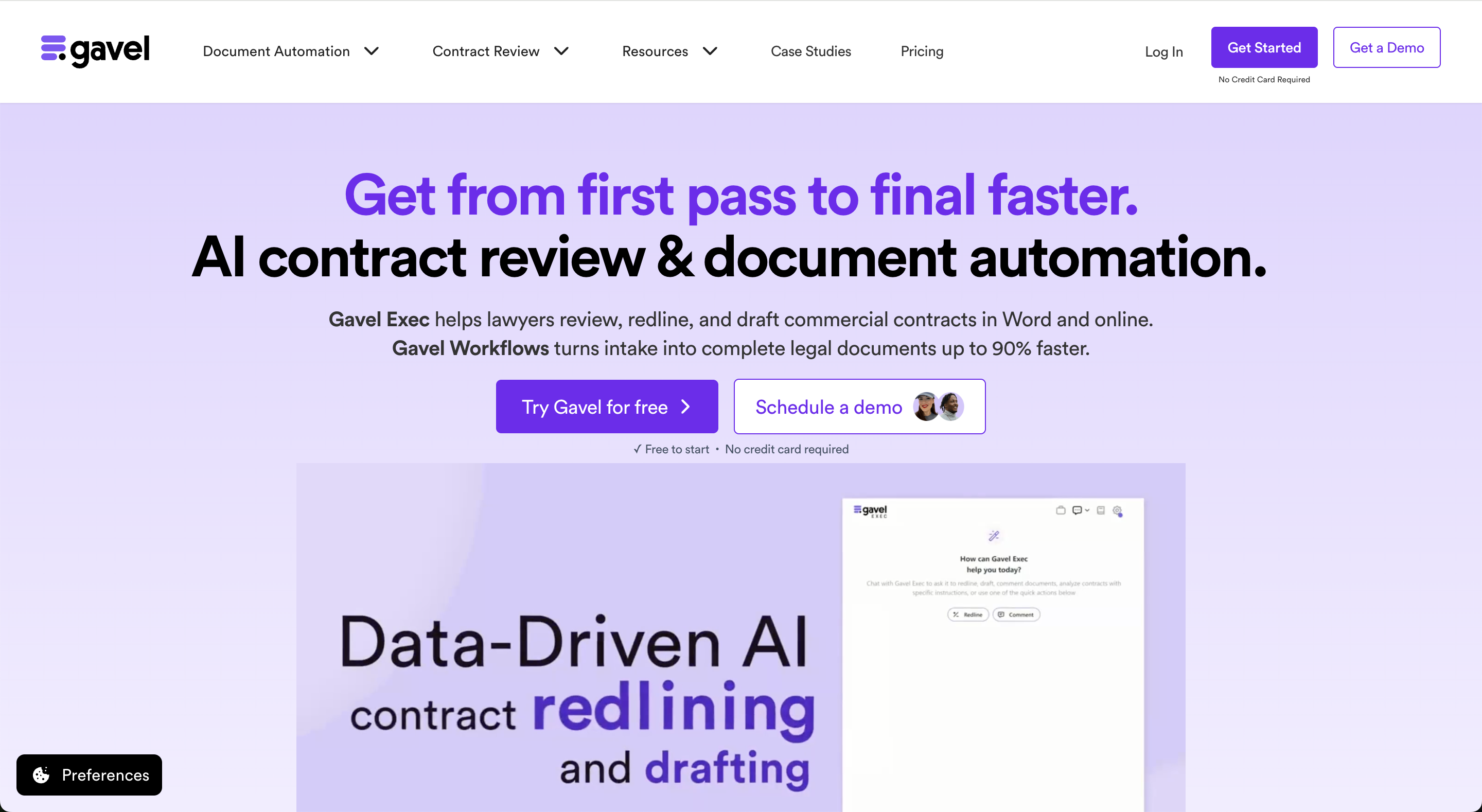
Gavel Exec interface screenshot
Gavel Exec is an AI contract review, redlining, and drafting tool for in-house legal teams and transactional law firms. It runs as a Microsoft Word add-in and as a full web application, with support for batch analysis across multiple contracts and multi-document comparison. Playbooks can be AI-generated, built from your existing uploaded files, or you can use built-in playbooks created by practicing deal lawyers. Playbooks are always lawyer-editable.

Key differences

  • Price: BRYTER uses custom enterprise pricing negotiated annually; no public rates are available. Gavel Workflows starts at $83/mo with no minimum seats.
  • Commitment: BRYTER requires an annual license. Gavel Workflows offers monthly billing with no long-term contract required.
  • Trial access: BRYTER Workflows offers a form-gated free trial that requires submitting a request; evaluation typically involves a sales conversation. Gavel Workflows offers a 7-day free trial with no credit card and no sales call.
  • Target audience: BRYTER targets in-house legal departments and compliance teams at medium-to-large enterprises, and large law firms doing complex fund management or litigation workflows. Gavel Workflows is designed for law firms from solo to large.
  • Client intake portal: Gavel Workflows includes a client-facing intake portal with white-labeled questionnaires designed for attorney-client workflows. BRYTER is built for internal enterprise and large law firm workflows and does not offer a comparable client intake portal.
  • Legal template library: BRYTER does not include a prebuilt legal template library. Gavel Workflows Pro includes access to a legal template library plus support for custom templates.
  • Word and PDF output: Gavel Workflows is specifically built to automate Word and PDF files. BRYTER's document generation is one component of a broader workflow automation system.
  • Integrations: BRYTER integrates with enterprise systems like ServiceNow. Gavel Workflows integrates with Clio, Zapier, DocuSign, and Stripe at appropriate plan tiers.
  • Setup complexity: BRYTER is designed for organizations with legal operations resources. Gavel Workflows is accessible to attorneys building their own workflows without technical staff.

When evaluating the legal tech company BRYTER,

note that BRYTER is an enterprise no-code workflow and document automation platform aimed at in-house legal departments, compliance teams at medium-to-large organizations, and large law firms handling complex workflows like fund management and litigation. Pricing is custom with no public rates. BRYTER Workflows has a form-gated free trial, but evaluation typically involves a sales conversation before access. BRYTER supports end-to-end legal workflows including intake, triage, document generation, and approvals, with integrations for enterprise systems including ServiceNow, Salesforce, and SharePoint. It is GDPR compliant and suited for organizations with dedicated legal operations resources.

Gavel Workflows is a legal document automation platform built for law firms of all sizes. Plans start at $83/mo (Lite), with Standard at $165/mo, Pro at $290/mo, and Scale from $417/mo billed annually. A 7-day free trial is available with no credit card and no sales call. Pro includes DocuSign, Stripe, white-labeling, a legal template library, and a custom domain. Gavel automates Word and PDF documents, integrates with Clio (Lite+) and Zapier (Standard+), and was built by CEO Dorna Moini, a former Sidley Austin attorney, and CTO Pierre Martin, formerly of Microsoft Research and Amazon.

When to choose BRYTER vs. Gavel Workflows

When to choose BRYTER
  • Large corporate legal departments with dedicated legal ops staff and a need for end-to-end workflow automation — including intake, triage, multi-user approvals, and document generation within a single enterprise system — are the buyers BRYTER is built for.
  • ServiceNow, Salesforce, or SharePoint already anchors your tech stack, and you need document automation that integrates natively rather than through middleware.
  • GDPR compliance and enterprise-grade security controls are non-negotiable requirements set by IT or your legal department, with no flexibility on those specs.
  • Your procurement process requires a negotiated annual contract, and the team has budget and timeline flexibility for a full sales and implementation cycle.
When to choose Gavel Workflows
  • Law firms from solo practice to large firm, looking for a purpose-built document automation tool rather than an enterprise workflow platform, are who Gavel Workflows is built for.
  • Start a 7-day free trial today at gavel.io with no credit card and no sales call. No form submissions or sales conversations required before you can build.
  • Transparent, predictable monthly pricing starting at $83/mo matters when an enterprise procurement process is not on the table.
  • DocuSign and Stripe are included at the Pro tier, covering signatures and payments inside the same intake-to-document workflow without separate tool purchases.
  • The legal template library at Pro tier means you can go from setup to a live workflow the same day rather than building everything from scratch.
  • Clio users get native integration starting at the Lite plan, with no additional configuration or middleware required.

Side-by-side comparison

BRYTER pricing is custom and requires a direct sales conversation; no public rates are available, and figures circulated in user communities are user-reported. BRYTER operates on an annual license model. Evaluating BRYTER Workflows requires submitting a free trial request or booking a demo, not a self-serve signup. Gavel Workflows starts at $83/mo with four transparent plan tiers and annual billing that includes two free months. Both platforms offer no-code document automation, but Gavel Workflows adds a legal template library, Clio and Zapier integrations, and DocuSign and Stripe at the Pro tier without requiring enterprise procurement.

FeatureBRYTERGavel Exec
Price✗ Custom enterprise pricing, user-reported; no public rates✓ From $83/mo, no minimum seats
Commitment✗ Annual license required✓ Monthly, cancel anytime
Free TrialPartial: form-gated free trial available for BRYTER Workflows; direct sign-up for BEAMON AI only✓ 7-day free trial, no credit card
FeaturesNo-code workflow and document automation✓ Word + PDF document automation
TemplatesNo prebuilt legal template library✓ Legal template library (Pro), custom templates
Word IntegrationPartial: document generation within workflow automation✓ Automates Word and PDF documents
SupportEnterprise support; terms vary by contract✓ Email, phone, screen share; priority support (Pro)

Platform and access

BRYTER is a web-based no-code platform built for enterprise legal and compliance teams, and large law firms running complex workflows like fund management and litigation. It supports intake, triage, document generation, and approval workflows within a single system. BRYTER Workflows offers a form-gated free trial, but evaluation and procurement typically involve a sales conversation and a negotiated annual license. Gavel Workflows is also web-based and accessible immediately via a 7-day free trial with no credit card required.

Template capabilities

BRYTER allows teams to build custom automated workflows from scratch with a high degree of configurability. It does not include a prebuilt library of legal document templates. Gavel Workflows Pro includes access to a legal template library as a starting point, and all plans support custom templates built with the drag-and-drop workflow builder. For law firms that want to go from zero to a working document automation workflow quickly, Gavel's template library reduces initial setup time.

Integrations and commerce tools

BRYTER connects with enterprise systems including ServiceNow and supports GDPR-compliant data handling for large organizations operating across jurisdictions. Gavel Workflows integrates with Clio at the Lite plan and above, Zapier at Standard and above, and DocuSign and Stripe at the Pro plan. Stripe and DocuSign within a single platform means law firms can collect payments and obtain signatures without stitching together separate tools.

Target audience and team size

BRYTER targets legal operations professionals and compliance teams inside medium-to-large corporations, as well as large law firms running complex workflows like fund management, litigation management, and NDA review at scale. It is not designed for solo attorneys or small law firms. Gavel Workflows is built specifically for law firms of all sizes, from solo practitioners to large firms, and is used by attorneys who build and maintain their own workflows without a dedicated legal tech team.

Pricing

BRYTER pricing

BRYTER does not publish pricing. It operates on a custom annual license model. Pricing figures that appear in reviews and user forums are user-reported and should be verified directly with BRYTER. BRYTER Workflows offers a form-gated free trial, but the evaluation process typically involves a sales conversation before access is granted.

Gavel Workflows pricing

Gavel Workflows offers four plans: Lite at $83/mo (1 builder seat, 10 workflows, 100 sessions/mo), Standard at $165/mo (1 builder seat, 25 workflows, 300 sessions/mo), Pro at $290/mo (2 builder seats plus 3 org user seats, 50 workflows, 600 sessions, DocuSign, Stripe, white-labeling, legal template library, custom domain), and Scale from $417/mo billed annually. Annual billing includes two free months. A 7-day free trial is available on all plans with no credit card and no sales call required.

BRYTER reviews

BRYTER is rated 4.7/5 on G2 based on 74 reviews. Reviewers are primarily legal operations and compliance professionals at enterprise organizations. Commonly cited strengths include the no-code workflow builder, AI features, and automation accuracy. Common complaints include limited out-of-the-box reporting and the dashboard lacking detail.

G2 aggregates verified user reviews across software categories. BRYTER's reviews reflect enterprise legal operations and compliance teams, not small or mid-sized law firms.

  • BRYTER: 4.7/5 on G2 (74 reviews). Reviewers are primarily enterprise legal and compliance teams.
  • Gavel Workflows: 4.7/5 on Lawyerist; Top 10 on Capterra.

We were able to do an entire estate plan in 30 minutes. I was running around the office telling everyone about how magical Gavel is.

Jessica Streeter, Partner at Streeter Law Firm

Switching from BRYTER

Attorneys and legal teams that move from BRYTER to Gavel Workflows typically do so when they want predictable monthly pricing, a faster path to a working document automation workflow, and a platform built specifically for law firm use rather than enterprise compliance operations. BRYTER's annual license model and form-gated evaluation process can slow down smaller teams that need to move quickly.

Switching to Gavel Workflows starts with a 7-day free trial, no credit card required. You can import your existing Word templates and begin building automated workflows the same day. The Gavel team provides onboarding support, and the Pro plan includes a legal template library if you want a head start on common law firm documents.

Looking for a BRYTER alternative?

Start automating your documents with Gavel today. No credit card required.

Frequently asked questions

What is the best BRYTER alternative?

Gavel Workflows is a narrower product, and that's the point. It's legal document automation without the enterprise setup complexity. Attorneys can build and own their own templates from day one, and it's faster to get running.

How does BRYTER pricing compare to Gavel Workflows?

BRYTER does not publish pricing. It uses a custom annual license model, and any figures in circulation are user-reported. Gavel Workflows starts at $83/mo with no minimum seats and no annual commitment required.

Does BRYTER offer a free trial?

No. BRYTER requires a demo to begin evaluation. Gavel Workflows offers a 7-day free trial with no credit card and no sales call required.

Can a solo attorney use BRYTER?

BRYTER is built for medium-to-large legal departments and compliance teams inside corporations. It is not primarily marketed to solo attorneys or small law firms. Gavel Workflows is designed for law firms from solo to large.

Does Gavel Workflows work with Word documents?

Yes. Gavel Workflows automates Word and PDF documents. You can upload existing Word templates and connect them to intake questionnaires to generate finished documents automatically.

Can I use Gavel Workflows in a web browser?

Yes. Gavel Workflows is fully web-based. No software installation is required to build or run workflows.

Does Gavel Workflows work on Mac and Windows?

Yes. Because Gavel Workflows is web-based, it runs in any modern browser on Mac, Windows, or any other operating system.

What is Gavel Workflows?

Gavel Workflows is a legal document automation platform for law firms. It lets attorneys build automated workflows that turn client intake answers into finished Word or PDF documents. Plans start at $83/mo with a 7-day free trial.

Does Gavel Workflows include legal templates?

Yes. The Pro plan includes access to a legal template library. All plans support custom templates you build yourself using the no-code workflow builder.

Who is Gavel Workflows built for?

Gavel Workflows is built for law firms of all sizes, from solo practitioners to large firms. It is used by attorneys who want to automate client intake and document generation without a dedicated legal technology team.

Can I customize the intake questionnaire in Gavel Workflows?

Yes. You control the questions, logic, branching, and output in every workflow you build. Gavel Workflows supports conditional logic so documents adapt based on client answers.

How does Gavel Workflows handle data privacy?

Gavel Workflows is designed with attorney-client confidentiality in mind. For specific data processing and security details, review Gavel's privacy policy or contact the team directly.

How do I get started with Gavel Workflows?

Start a 7-day free trial at gavel.io. No credit card and no sales call are required. You can begin building your first workflow the same day.

How hard is it to migrate from BRYTER to Gavel Workflows?

You can upload your existing Word templates directly into Gavel Workflows and reconnect them to intake questionnaires. The Gavel team provides onboarding support to help you get workflows running quickly.

Who built Gavel Workflows?

Gavel Workflows was built by CEO Dorna Moini, a former employment litigation associate at Sidley Austin, and CTO Pierre Martin, formerly of Microsoft Research and Amazon. The platform was formerly known as Documate and rebranded as Gavel in 2023.

How we researched this

This comparison is based on publicly available information: product documentation, customer reviews on Lawyerist, G2, and Capterra, and legal technology coverage. It also reflects direct conversations with prospects who evaluated alternatives before choosing Gavel Exec, and with customers who have used both.

Where vendors don't publish pricing, we use user-reported figures and note it. Information is current as of 2026. Verify pricing and features directly with any vendor before deciding.

Looking for a BRYTER alternative?

Start automating your documents with Gavel today. No credit card required.

Start free trialGet a demo

See why attorneys choose Gavel Workflows

Start automating your documents with Gavel today. No credit card required.