Document Automation
Product features
By practice area
By company size
Contract Review
PRODUCT FEATURES
Resources
LearN
Case Studies
Pricing
Fuxia reviews a contract and its annexes as one bundle for legal, commercial and technical teams. Gavel Exec gives legal teams playbook redlines in Word they can start today.

Fuxia and Gavel Exec both check contracts against your playbook and write comments and redlines into Word. Fuxia fits a European company that negotiates large agreement packages, such as an MSA with service, pricing and security annexes, and wants legal, finance, sales and technical teams to see one Sign, Negotiate or Stop view, from an EU-hosted vendor on a negotiated contract. Gavel Exec fits a legal team that redlines NDAs, MSAs, DPAs and vendor agreements in Word and wants to start this week with built-in playbooks and market benchmarking: 25 free queries per user, no credit card, then $160 per user per month.
Fuxia
Fuxia is an AI contract review product from Fuxia Oy in Finland, led by CEO Robin Eklund. Its Word add-in reviews a contract against your playbook and writes comments and suggested rewrites into the document. Its homepage now presents it as contract intelligence that reads a main agreement with its annexes, for general counsel, finance, sales and technical teams.
Gavel Exec
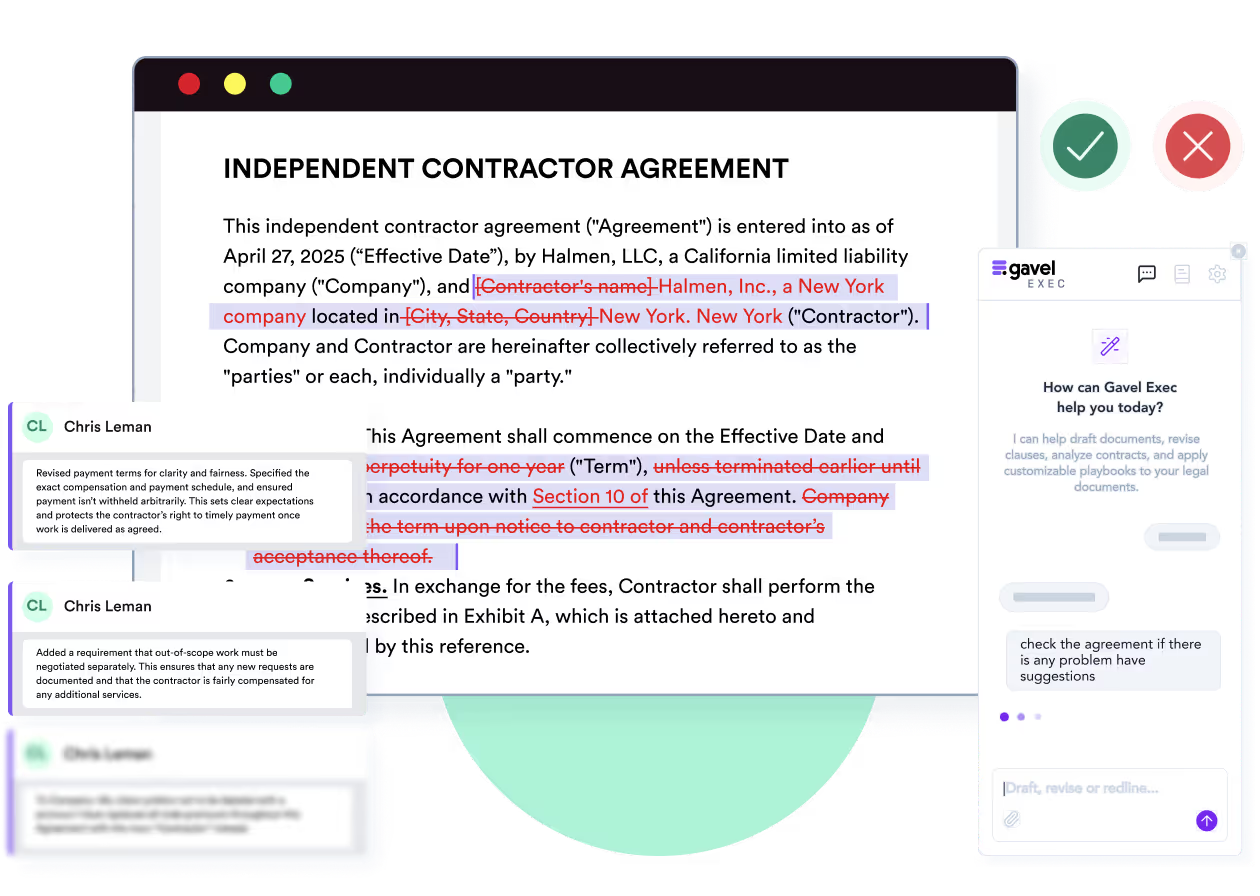
Gavel Exec is AI contract review, redlining, and drafting software for legal teams. It works in Microsoft Word and online, so attorneys can review contracts inside Word or use browser-based workflows for broader contract analysis.
Gavel Exec supports playbook-based review, redlining, drafting, benchmarking, batch analysis, and multi-document comparison. Playbooks can be generated with AI, built from uploaded files, created manually, or started from built-in playbooks created by practicing attorneys. Gavel Exec publishes pricing at $160 per user per month or $1,740 per user annually, and offers 25 free queries per user with no credit card required.
Yes. Both work with Microsoft Word, so a team could keep Fuxia for large supplier or customer bundles that need a business-facing decision summary, and use Gavel Exec for day-to-day NDAs, MSAs and vendor agreements. Fuxia playbook rules are written in natural language. Save them as a .docx, PDF or .csv file and Gavel Exec generates rules from it. Review each rule before you run it.
Fuxia, from Finland’s Fuxia Oy, reviews contracts against company playbooks in a Word add-in and analyses a main agreement with its annexes as one bundle, with Sign, Negotiate or Stop recommendations. It hosts data in the EU and prices through a service agreement after a demo. Gavel Exec runs in Word on Windows, Mac and the web plus a web app, is SOC 2 Type II certified, and starts with 25 free queries per user, then $160 per user per month. Both leave the decision to a lawyer.
Choose Gavel Exec if your legal team redlines NDAs, MSAs, DPAs, vendor agreements, leases or financings in Word on Windows, Mac or the web and wants to start today with built-in playbooks, rules generated from your own files, market benchmarking and SOC 2 Type II certified hosting, with an EU hosting option for European teams. Not for you if your team works outside Microsoft Word, for example in Google Docs, or you need a native iManage or NetDocuments integration today. Reviewing contracts in another language? Talk to Gavel first.
Public terms checked November 14, 2026. Fuxia does not publish prices; its terms say fees are set in each customer’s service agreement. Sources: Fuxia’s terms of service and Gavel Exec pricing.
| Feature | Fuxia | Gavel Exec |
|---|---|---|
| Price | Not published; quote-based. Fees are set in the service agreement; 60 days’ notice for price changes. | $160/user/month or $1,740/user/year; 1,000 queries per user per month; team pricing for 10+ seats. |
| Billing | Open-ended agreement; either party can terminate with 30 days’ written notice. | Month-to-month, no long-term commitment required; annual billing optional. |
| Free Trial | No trial terms published; demo on request. | 25 free queries per user; no credit card required. |
| AI Features | Playbook review with comments and suggested rewrites; bundle analysis of contracts and annexes; Sign, Negotiate or Stop recommendations. | Redlining, review, drafting, playbooks, market benchmarking and web-app analysis. |
| Playbooks | Built-in playbooks (sales contracts, NDAs, IT sourcing); editable; private or shared; natural-language rules with model clauses. | Built-in playbooks; rules you write or generate from .docx, PDF or .csv files; sharing with your team. |
| Word Integration | Fuxia Word Add-in; also listed as browser-based and compatible with Google Docs. Supported Word versions not listed. | Word add-in for Windows, Mac (2016+), the web and Microsoft 365, plus a web app. No native iManage or NetDocuments integration today. |
| Support | Support by email; support hours not published. Playbook refinement with Fuxia’s help. | Support 7 days a week; one-to-one demos with a product expert. |
Ratings: Fuxia has no rated listing we could read. We found no G2 or Capterra listing for Fuxia in November 2026, and Serchen’s Fuxia page says there are no reviews yet. Fuxia publishes no named customers; its April 2024 launch post says only that it was in use by its first customers.
We found no public Fuxia product walkthrough we could play (the video player on its How Fuxia works page loads no video); Fuxia offers demos on request. Watch Gavel’s 71-second Exec walkthrough: a stock investment agreement edited against an attached term sheet, then a vendor-agreement playbook review with accepted edits appearing as tracked changes. Vendor demos show how a product works, not how well it works compared with another.
[0:01] Meet Gavel Exec, the data-driven AI tool for contract redlining and drafting. Built by lawyers right inside Microsoft Word, ask Exec to negotiate your contract to standard market terms or to your preference.
[0:15] Negotiate the agreement and ensure the terms match the attached term sheet. Exec analyzes the contract, any relevant documents from your source database, and drafts suggested language with clear explanations.
[0:31] With Playbooks, lock in your negotiation positions as rules that use your precedent and reliable market benchmarks. Understand gaps with one click and immediately apply changes.
[0:45] Exec draws on thousands of real-world negotiation patterns to give you market-aligned language. And it’s continuously learning from you and your team’s preferences with a collaborative platform.
[0:59] Drive better outcomes with concrete data and reliable issue spotting. Supercharge your contract analysis. Start a free trial of Gavel Exec today.
Fuxia reviews contracts against company playbooks. In the Fuxia Word Add-in you select a playbook and start a review. Fuxia flags misaligned and missing terms, suggests rewrites as markup in your Word document, and adds review comments that explain each change. It names sales agreements, service agreements, NDAs and DPAs as typical contracts, and was built for in-house legal teams and for sales and sourcing teams doing first-line review.
Fuxia’s homepage now goes further. It analyses contracts and annexes as one connected bundle from legal, commercial, technical and compliance perspectives. It looks for conflicts between master terms and schedules and for commercial expectations with no enforceable term behind them, and it ends with a Sign, Negotiate or Stop recommendation. Ask Fuxia in the demo which of these capabilities run in the Word add-in and which run in the browser.
Fuxia is made by Fuxia Oy, a Finnish company (Business ID 3349563-6) led by CEO Robin Eklund. Its contact page lists an office at Otakaari 5 in Espoo, and its terms give a registered address in care of the Helsinki law firm Lexia. Fuxia does not publish its investors or named customers.
Fuxia is built for deals where the risk sits between documents: an MSA whose liability cap doesn’t cover the service credits in an SLA annex, or a sales promise in a proposal that no schedule commits to. Its decision summaries are written for general counsel, CFOs, sales and technical leads, not only for the lawyer marking up the draft. It also uses past agreements and negotiation outcomes to show what is normal, risky or off-market for your company.
Gavel Exec redlines one contract at a time in Word and lets you attach .docx, .doc and PDF files as context, so you can review an MSA with its annexes open beside it. Batch analysis across many documents runs in the web app. Gavel Exec writes for the lawyer doing the markup: priority-ranked tracked changes with the reasoning for each, margin comments and a list of missing terms. If that executive view of a whole bundle is what you are buying, Fuxia is built for it.
Both start with built-in playbooks you can edit. Fuxia’s playbooks cover sales contracts, NDAs and IT sourcing. Rules are written in natural language, can include model clauses, and can be private or shared across your organisation. Fuxia also offers to refine its ready-made guidelines with you.
Gavel Exec includes built-in playbooks for NDAs, MSAs, DPAs and contractor and vendor agreements, and generates rules from your checklists, playbooks and signed agreements. Each rule passes or fails with proposed changes. You apply suggestions as tracked changes and accept or reject each one in Word. Exec also benchmarks each provision as on-market, off-market or missing for your jurisdiction, industry and company size.
You represent the customer. The vendor’s MSA caps its liability at twelve months of fees, and its DPA annex says data-protection claims are “subject to the limitations in the Agreement”. Your playbook calls for a separate cap of twice annual fees for data-protection breaches. The expected redline adds that carve-out to the MSA’s limitation clause and aligns the DPA cross-reference with it. You decide whether to accept, edit or reject it before the draft goes back. By hand, this means reading the MSA and the annex side by side against your checklist. Both products document a playbook-to-redline workflow; this is an evaluation scenario, not a test we ran.
Gavel Exec needs a free account at exec.gavel.io. Benchmarking and batch analysis run in the web app. To redline a specific document or create playbooks, add the Gavel Exec add-in from Microsoft AppSource. If your organization manages Microsoft 365 centrally, an admin may need to enable it.
Fuxia says it is available in the browser and compatible with Microsoft Word and Google Docs. Access starts with a demo booking; Fuxia does not publish a self-serve sign-up.
Fuxia offers a Word add-in but does not list which Word versions it supports, so ask before a Mac or browser rollout. Gavel Exec runs in Word for Windows, Word for Mac (2016 or later), Word on the web and Microsoft 365.
Fuxia says it is compatible with Microsoft Word and Google Docs, and does not publish how the Google Docs workflow works. Gavel Exec works in Microsoft Word on Windows, Mac and the web, and in its own web app at exec.gavel.io, where benchmarking and batch analysis run.
Fuxia hosts its servers and data in the European Union, encrypts data in transit and at rest, and keeps customer content only as long as needed to provide the service. Its privacy policy says Fuxia does not use customer content to train general AI models and that its AI providers are contractually prohibited from doing so. It does not name its current AI provider; a 2024 Fuxia post said the product used GPT-4-turbo. Fuxia contracts under Finnish law, with arbitration in Helsinki.
Gavel Exec keeps each customer’s data in an isolated database on AWS, in the US by default, with EU, Canada and Australia hosting available. Gavel has Zero Data Retention agreements with its AI providers. Gavel security
Fuxia does not list a SOC 2 or ISO 27001 certification on its site. It says data is hosted in the EU and encrypted in transit and at rest, so ask for its security documentation during procurement. Gavel Exec is SOC 2 Type II certified, independently verified by a third-party auditor.
No. Gavel says your documents are not used to train AI models and that it has Zero Data Retention agreements with its AI providers. Fuxia also says customer content is not used to train general AI models.
Gavel Exec costs $160 per user per month or $1,740 per user per year, with 1,000 queries per user per month, after 25 free queries per user and no credit card. Teams of 10 or more seats get discounted pricing.
Fuxia does not publish prices. Its terms say fees are set in each customer’s service agreement, the agreement runs until either party ends it with 30 days’ written notice, and Fuxia can change prices with 60 days’ notice. Extra expert and customer-service work is billed by the hour.
Fuxia’s price is not published; it is quote-based and set in a service agreement after a demo. Ask whether pricing is per user, per contract or per organisation, and what the hourly rates for extra work cover.
Fuxia does not publish trial terms. A 2024 blog title invites readers to try it for free, but the site’s only sign-up path is a demo request. Gavel Exec gives each user 25 free queries with no credit card.
Checked against Fuxia’s and Gavel’s public pages on November 14, 2026. Method: editorial review by Richard Poelderl of Fuxia’s homepage, How Fuxia works page, blog, contact page, terms of service and privacy policy, and Gavel’s Exec, pricing and security pages. Gavel publishes this comparison and sells Exec; Gavel has been part of Relativity since June 12, 2026. No hands-on comparative test was conducted. Spotted something out of date? Tell us and we will correct it.
“It’s the best system I’ve tried, and I’ve tried many. I’ve found Gavel Exec really good to work with and responsive to how I negotiate, how I redline.”
Martin Algie, Principal at MIA Contract Lawyers
Take an MSA or NDA you have already reviewed and the playbook rules you would give Fuxia. Save them as a .docx, PDF or .csv file, generate Exec rules from it, check each rule, then run it on the agreement in Word with its annexes attached as context. Compare the proposed redlines with your own markup. You stay responsible for every negotiating decision.
Start with 25 free queries and no credit card. If your deals turn on large bundles of annexes and you need a decision summary for finance and sales, a Fuxia demo on one of those bundles is the more direct test. If neither product meets your security, language or platform requirements, resolve that before uploading client contracts.
Generate Exec rules from your playbook and review the proposed redlines in Word on Windows, Mac or the web. Start with 25 free queries; no credit card required.
This comparison uses publicly available product, pricing, and review information. Features, pricing, and access terms may change, so buyers should verify current details directly with each vendor.
Attach the annexes as context, run your playbook on the main agreement and accept or reject each tracked change. 25 free queries, no credit card.


