Gavel vs. HotDocs (2026): The Clear Winner for Simple, Powerful Document Automation

HotDocs and Gavel Workflows are both document automation platforms that turn frequently used legal documents into reusable templates. HotDocs is an enterprise product that requires technical setup, does not offer Clio or Zapier integrations, and does not publish pricing. Gavel Workflows starts at $83/mo, includes a free trial with no credit card required, and gives law firms a no-code drag-and-drop interface with native Clio, Zapier, and DocuSign integrations.

By Danae Martin · Updated: June 2, 2026
Gavel Exec vs. Competitor

HotDocs and Gavel Workflows both automate legal document creation, turning client intake data into finished drafts without manual copy-pasting. Both support conditional logic and complex document types. The differences that matter most to law firms show up in ease of setup, client-facing features, integrations, and pricing. This page covers where each tool is stronger, how they compare feature by feature, and what the pricing and access models look like side by side.

HotDocs

Competitor interface screenshot

HotDocs is a document automation and assembly platform now owned by Mitratech. It converts frequently used documents into intelligent templates using rules-based conditional logic and guided interview workflows. Originally built for legal environments, it now serves enterprise teams across legal, insurance, financial services, and government in 60+ countries. Template creation requires technical expertise or support from an implementation partner; HotDocs is not a no-code tool.

Gavel Exec

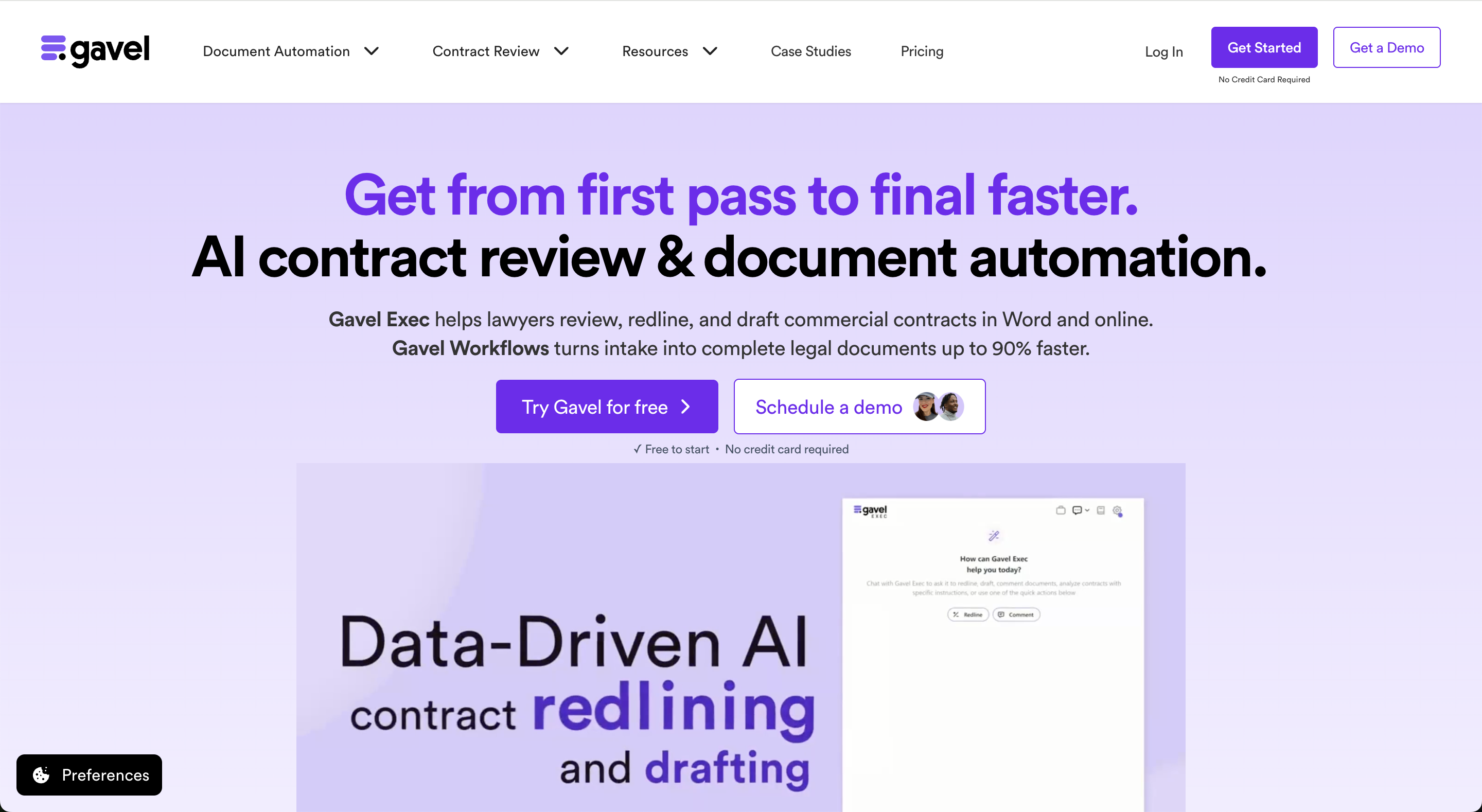
Gavel Exec interface screenshot
Gavel Exec is an AI contract review, redlining, and drafting tool for in-house legal teams and transactional law firms. It runs as a Microsoft Word add-in and as a full web application, with support for batch analysis across multiple contracts and multi-document comparison. Playbooks can be AI-generated, built from your existing uploaded files, or you can use built-in playbooks created by practicing deal lawyers. Playbooks are always lawyer-editable.

Key differences

  • Price: Gavel Workflows starts at $83/mo. HotDocs does not publish pricing; contact Mitratech for a quote.
  • Free trial: Gavel Workflows offers a free trial with no credit card required. HotDocs requires a demo request to access the product.
  • Ease of setup: Gavel Workflows uses a no-code, drag-and-drop interface any attorney or paralegal can use independently. HotDocs requires technical expertise or an implementation partner to build and maintain templates.
  • Client-facing features: Gavel Workflows includes a secure client intake portal where clients enter data that flows directly into your document templates. HotDocs does not include client-facing functionality.
  • Integrations: Gavel Workflows integrates natively with Clio Manage (voted Best Integration by Clio), Zapier, and DocuSign. HotDocs does not offer these integrations out of the box.
  • Built for: Gavel Workflows is built for law firms, from solo practitioners to larger practices. HotDocs targets enterprise organizations across legal, insurance, financial services, and government.
  • Lawyerist ratings: Gavel Workflows 4.7/5; HotDocs 3.9/5.

When evaluating the legal tech company HotDocs,

HotDocs is an enterprise document automation platform owned by Mitratech. It is built around rules-based conditional logic and guided interview workflows, supports high-volume batch document generation, and connects to enterprise systems via open API. HotDocs does not publish pricing; contact Mitratech directly for a quote. The product requires technical expertise or an implementation partner to build templates and does not offer a no-code interface. No free trial is publicly available; prospective users request a demo to access the product. HotDocs does not offer Clio, Zapier, or DocuSign integrations, and does not include client-facing intake functionality.

Gavel Workflows is document automation software built specifically for law firms. It uses a no-code, drag-and-drop interface for building templates and automated questionnaires without coding. It includes a secure client intake portal, native Clio Manage integration (voted Best Integration by Clio), Zapier integration, and DocuSign integration. Advanced logic handles dynamic calculations, date handling, and nested conditions without requiring any code. Gavel Workflows is rated 4.7/5 on Lawyerist and is a Top 10 product on Capterra. Pricing starts at $83/mo. A free trial is available with no credit card required.

When to choose HotDocs vs. Gavel Workflows

When to choose HotDocs
  • Your organization needs enterprise-scale batch processing: generating hundreds of thousands of documents across multiple business units or jurisdictions.
  • You have dedicated technical staff or budget for an implementation partner to build and maintain templates.
  • You work in a non-legal enterprise context (insurance, financial services, or government) where HotDocs is already embedded in existing workflows.
  • Your organization uses other Mitratech products (TeamConnect, TAP, CaseCloud) and needs HotDocs to integrate within that ecosystem.
When to choose Gavel Workflows
  • You want to build and update your own templates without technical expertise or outside help.
  • Your firm uses Clio Manage and wants a native integration that pulls client data into documents automatically.
  • You want a client intake portal where clients complete questionnaires that feed directly into your documents.
  • You need Zapier or DocuSign integrations without custom development.
  • You want to start the same day, with a free trial and no credit card required.
  • You are a solo practitioner or small-to-mid-size firm looking for a tool built for law firms, not a repurposed enterprise product.

Side-by-side comparison

HotDocs does not publicly list pricing; contact Mitratech directly for a quote. Gavel Workflows starts at $83/mo with a free trial and no credit card required. Both tools support document templates with conditional logic and work in web-based environments. Gavel Workflows adds a no-code interface, a client intake portal, and native integrations with Clio Manage, Zapier, and DocuSign that HotDocs does not offer.

FeatureHotDocsGavel Exec
PricePricing not publicly listed; contact vendor✓ $83/mo
CommitmentContact vendor; not publicly listed✓ Month-to-month
Free TrialNo free trial; demo required✓ Free trial, no credit card required
AI FeaturesRules-based conditional logic, guided interviews, batch document generationDocument automation, no-code conditional logic, guided questionnaires
PlaybooksTemplate library via HotDocs Market; custom templates require technical setup or implementation partner✓ No-code drag-and-drop template builder
Word IntegrationMS Word add-in (Windows only for desktop; cloud version is browser-based)✓ Native Word integration
SupportEmail, phone, live rep per Capterra; reviewers describe inconsistent support qualityEmail, phone, screenshare

Ease of setup and interface

HotDocs and Gavel Workflows both let you build reusable document templates that auto-populate from questionnaire answers or intake data. The setup experience is not comparable. Gavel Workflows uses a drag-and-drop, no-code interface that any attorney or paralegal can learn without technical training. HotDocs uses a scripting-based approach that Lawyerist describes as "not a no-code or low-code solution," and Capterra reviewers say requires "higher-level logic and computer coding" to use fully.

For firms that want to build and update their own templates without IT involvement, Gavel Workflows gets you there the same day. HotDocs is a better fit for organizations with dedicated technical resources or budget for an outside implementation partner.

Client-facing functionality

Gavel Workflows includes a secure, branded client intake portal. Clients complete a questionnaire and their answers flow directly into your document templates. HotDocs does not include client-facing functionality. For practice areas where client intake drives document creation, such as estate planning, family law, and immigration, this is a significant practical difference. An estate planning packet that traditionally takes six hours to draft can be completed in 30 minutes when the client has already entered their own data.

Integrations

Gavel Workflows integrates natively with Clio Manage (voted Best Integration by Clio), Zapier, and DocuSign. These connections let you pull client and matter data from your practice management system into templates, trigger automations across your tech stack, and collect e-signatures without switching tools. HotDocs does not offer Clio, Zapier, or DocuSign integrations. It includes an open API for enterprise system connections, but those integrations require custom development work rather than a plug-and-play setup.

Document logic and automation depth

Both tools support conditional logic: clauses, calculations, and sections appear or disappear based on questionnaire answers. HotDocs has built this capability for 30+ years and supports enterprise-scale batch generation. One Mitratech case study cites 500,000+ documents generated without manual intervention. Gavel Workflows handles the full range of logic law firms need: nested conditions, dynamic calculations, date handling, and automatic formatting. For most law firm use cases, both tools cover the logic requirements. HotDocs has a higher ceiling for raw enterprise volume; Gavel Workflows gets to production faster without technical setup.

Pricing

HotDocs: pricing not publicly listed

  • Enterprise document automation for legal, insurance, financial services, and government teams
  • Rules-based conditional logic, guided interviews, batch document generation
  • MS Word add-in (desktop, Windows) and cloud-based access via browser
  • Open API for enterprise system integrations (custom development required)
  • Pricing not publicly listed; contact Mitratech directly for a quote
  • No free trial; demo required to access the product
  • Template setup typically requires technical expertise or implementation partner support

Gavel Workflows: starts at $83/mo

  • Document automation built for law firms of all sizes
  • No-code, drag-and-drop interface for building templates and questionnaires
  • Secure, branded client intake portal
  • Native Clio Manage integration, Zapier integration, and DocuSign integration
  • Starts at $83/mo
  • Free trial available, no credit card required
  • Build and go live with your first template the same day

HotDocs reviews

HotDocs has a composite rating of 3.9/5 on Lawyerist, combining a 4.3 editorial score with a 3.0 community rating. On Capterra, HotDocs is rated 4.1/5 across 59 reviews. Commonly cited complaints include complex template setup, high licensing cost, inconsistent customer support, and a subscription model that multiple reviewers describe as frustrating after a recent ownership change.

Lawyerist independently reviews legal software for small and mid-size law firms, combining editorial assessment with user-submitted ratings.

  • HotDocs: 3.9/5 on Lawyerist (4.3 editorial, 3.0 community); 4.1/5 on Capterra based on 59 reviews
  • Gavel Workflows: 4.7/5 on Lawyerist; Top 10 on Capterra

Common themes in HotDocs reviews: strong document logic for complex templates, but steep setup complexity, inconsistent support, and a subscription pricing model described by multiple reviewers as opaque and frustrating. Gavel Workflows reviewers consistently cite the ease of building templates without technical help, the Clio integration, and the speed of getting to a working workflow.

We were able to do an entire estate plan in 30 minutes. I was running around the office telling everyone about how magical Gavel is.

Jessica Streeter, Partner at Streeter Law Firm

Switching from HotDocs

Firms switching from HotDocs typically cite one of three reasons: setup required more technical resources than expected, pricing increased after ownership and subscription model changes, or the lack of client-facing features and law firm integrations created workflow gaps that kept growing. HotDocs templates use proprietary syntax that cannot be directly imported into Gavel Workflows. Migration means rebuilding templates in Gavel's no-code interface. Most firms find the rebuild faster than expected: the drag-and-drop builder does not require the scripting knowledge HotDocs templates do, and Gavel's team can assist with the transition.

Getting started with Gavel is same-day. Sign up for a free trial, build or recreate your first template in the no-code interface, and connect Clio Manage if you use it. No credit card or sales call required. From signup to a working automated document is typically a matter of hours, not months.

Try Gavel Workflows free

No credit card required. Start automating your documents today.

Frequently asked questions

How does HotDocs pricing compare to other document automation tools?

HotDocs does not publish pricing. Contact Mitratech directly for a quote. Gavel Workflows starts at $83/mo with a free trial available. The full cost comparison should also factor in implementation: HotDocs typically requires technical staff or an outside partner to set up templates, which adds cost beyond the subscription. Gavel Workflows is no-code and self-serve from day one.

Does HotDocs offer a free trial?

No. HotDocs requires a demo request before you can access the product. Gavel Workflows offers a free trial with no credit card required.

Does HotDocs offer team or volume discounts?

HotDocs does not publish pricing tiers or discount structures publicly. Contact Mitratech directly for enterprise pricing. Gavel Workflows pricing information is available at gavel.io.

Does HotDocs work inside Microsoft Word?

Yes. HotDocs includes a Microsoft Word add-in for Windows that lets users create and fill templates without leaving Word. The desktop version is Windows-only; HotDocs Advance, the cloud version, works in any modern browser. Gavel Workflows also includes a Word integration and supports both Word and PDF output formats.

Does HotDocs work in a web browser?

Yes. HotDocs Advance is a cloud-based version that works from any modern browser without a desktop installation. Gavel Workflows is also fully web-based.

Does HotDocs work on Mac and Windows?

HotDocs' desktop (Developer) version is Windows-only. HotDocs Advance, the cloud version, works in any browser and is accessible on Mac. Gavel Workflows is fully web-based and works on Mac and Windows without a desktop install.

Is Gavel a document automation tool, or does it do something else?

Gavel Workflows is document automation software built for law firms. It turns client intake answers into finished Word and PDF documents automatically. Gavel also makes Gavel Exec, a separate product for AI contract review, redlining, and drafting built for in-house legal teams. This comparison focuses on Gavel Workflows and HotDocs, both document automation tools.

Does HotDocs include client-facing features?

No. HotDocs does not include a client-facing intake portal. Gavel Workflows includes a secure, branded questionnaire portal where clients enter their information directly. That data populates your document templates automatically, eliminating re-entry and reducing intake time significantly.

Is HotDocs better suited for law firms or enterprise teams?

HotDocs is positioned for enterprise organizations across multiple industries including legal, insurance, financial services, and government. Its technical complexity and absence of law firm integrations make it a stronger fit for large enterprise deployments with IT support than for solo or small-to-mid-size law firms. Gavel Workflows is built specifically for law firms.

Does HotDocs integrate with Clio Manage?

No. HotDocs does not offer a native Clio Manage integration. Gavel Workflows integrates natively with Clio Manage and was voted Best Integration by Clio. The integration pulls client and matter data from Clio directly into your document templates.

Does HotDocs integrate with Zapier or DocuSign?

No. HotDocs does not offer native Zapier or DocuSign integrations. Custom integrations are possible via HotDocs' open API but require development work. Gavel Workflows includes native Zapier and DocuSign integrations with no custom development required.

Can HotDocs handle batch document generation?

Yes. Batch processing is a core HotDocs strength for enterprise teams. Mitratech references one customer generating 500,000+ documents without manual intervention. Gavel Workflows focuses on law firm-scale workflows rather than high-volume enterprise batch processing.

Will my document data stay private with HotDocs or Gavel Workflows?

HotDocs does not publicly disclose detailed data retention policies. For Gavel Workflows, Gavel operates under strict data privacy standards. Ask each vendor directly about their data processing agreements and retention policies before making a decision, especially if you handle sensitive client matters.

How long does it take to get started with HotDocs?

HotDocs requires a demo request before you can access the product. Template setup typically requires technical expertise or an outside implementation partner. Multiple reviewers describe onboarding as taking weeks to months. Gavel Workflows offers a same-day free trial: sign up, build your first template using the no-code interface, and go live. No credit card or sales call required.

Can I migrate my HotDocs templates to Gavel Workflows?

HotDocs templates use proprietary syntax that cannot be directly imported into Gavel Workflows. Migration involves rebuilding templates in Gavel's drag-and-drop interface. Because Gavel Workflows requires no coding, most firms find the rebuild faster than expected, and Gavel's team can assist. The transition from signup to a working automated workflow typically takes days, not months.

Who built Gavel Workflows?

Gavel was founded by CEO Dorna Moini, a former employment litigation associate at Sidley Austin, and CTO Pierre Martin, who previously worked at Microsoft Research and Amazon and writes about legal technology and AI on his Substack, Pierre Martin on AI. Gavel Workflows is built for the legal market by founders with direct legal practice experience.

How we researched this

This comparison is based on publicly available information: product documentation, customer reviews on Lawyerist, G2, and Capterra, and legal technology coverage. It also reflects direct conversations with prospects who evaluated alternatives before choosing Gavel Exec, and with customers who have used both.

Where vendors don't publish pricing, we use user-reported figures and note it. Information is current as of 2026. Verify pricing and features directly with any vendor before deciding.

Try Gavel Workflows free

No credit card required. Start automating your documents today.

Start free trialGet a demo

See why attorneys choose Gavel Workflows

No credit card required. Start automating in minutes.